
Local-first SSH connection manager
Cloud features. No cloud.
TerminalLynx organizes hundreds of SSH connections with tags and Smart Views, opens them in a built-in terminal, and syncs them between your devices and your team, peer to peer. No account, no cloud, no telemetry.
Windows, macOS and Linux · Free for personal use
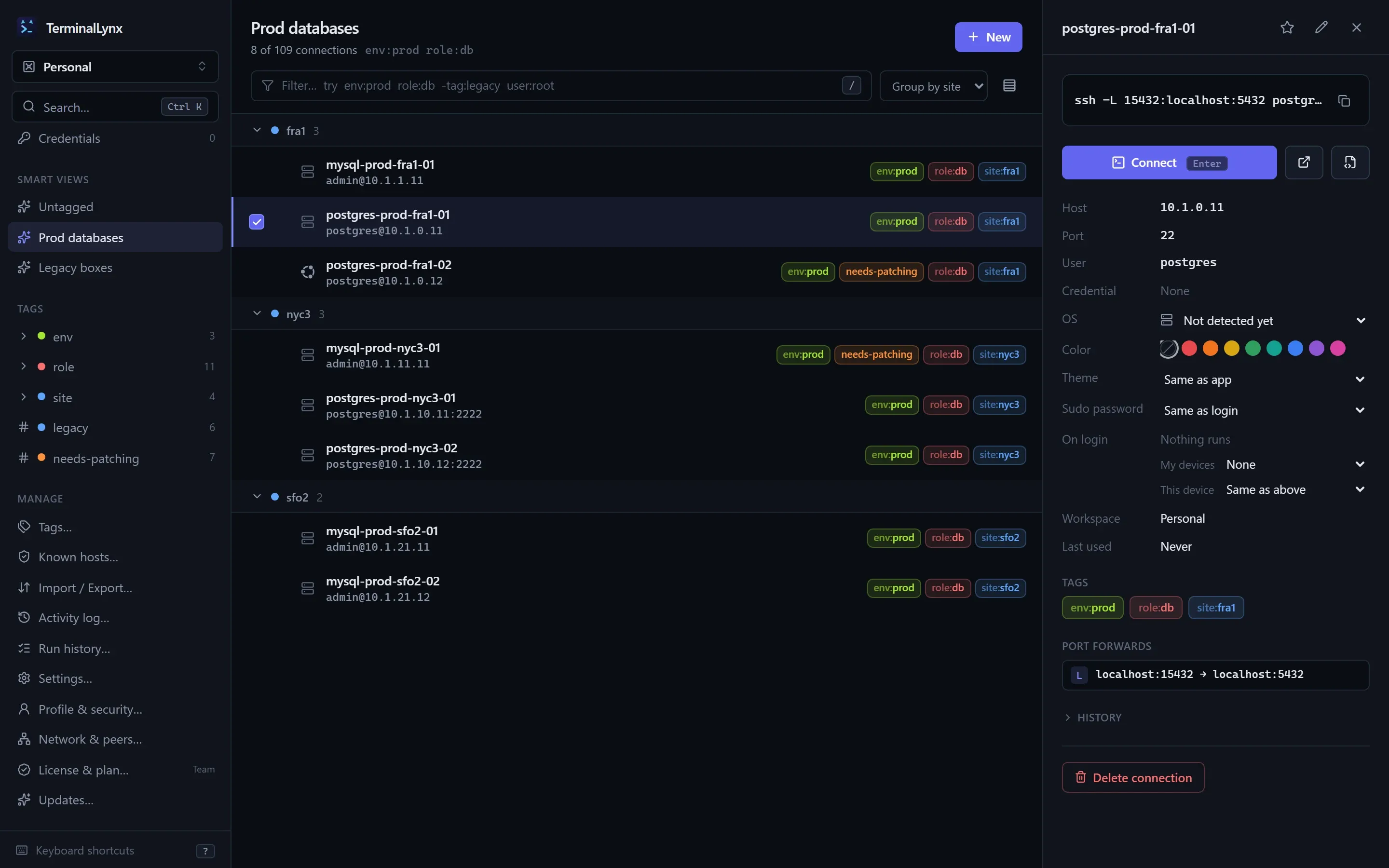
Built for a hundred servers, or a thousand
Find it, connect, get on with your day
Tags, not folders
Plain and key:value tags like env:prod or role:db. Group by any tag key and your list sorts itself into sections, with no folder tree to maintain.
Search that keeps up
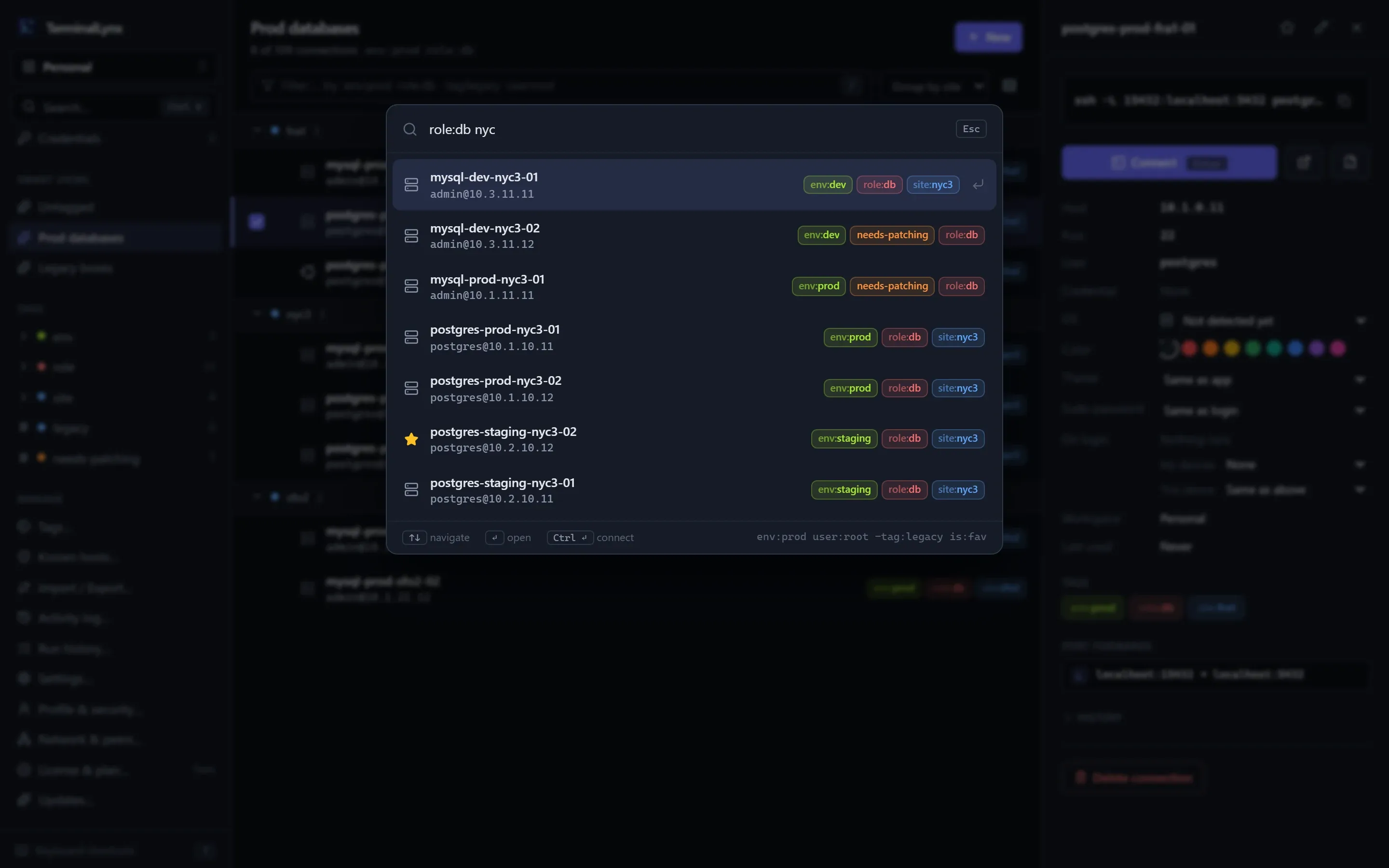
A command palette with fuzzy search and filters (env:prod -tag:legacy user:root), ranked by what you use most. Save any search as a Smart View.
A real terminal
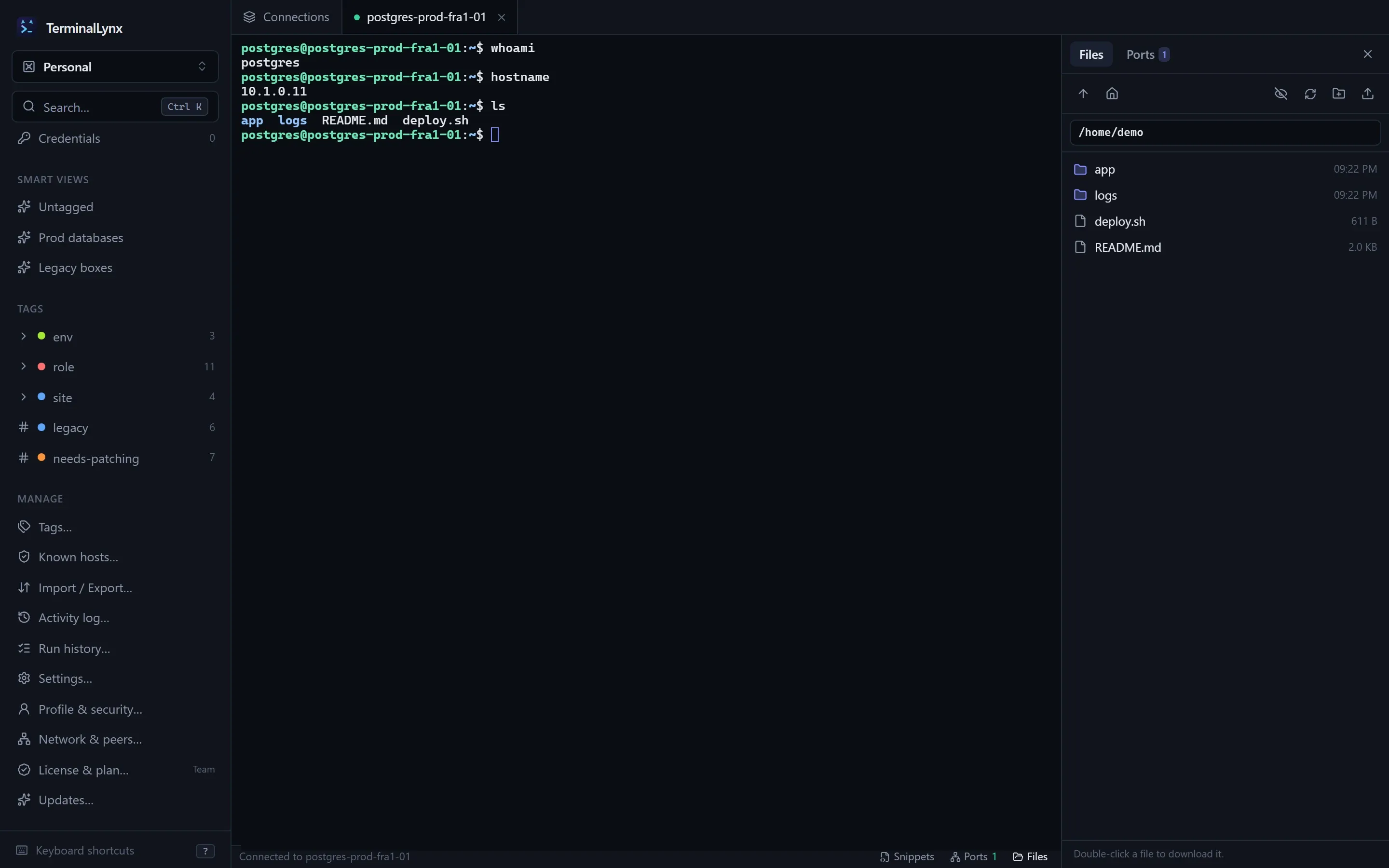
A built-in SSH client with tabs, jump hosts, agent and key auth, an SFTP file browser and local, remote and SOCKS port forwarding.
Sync with no cloud
Pair your laptop and desktop with a one-time code. Devices sync directly, end to end encrypted, over your LAN, a mesh VPN or an optional relay.
Teams that stay in control
Invite people as Admins, Editors or Readers. Removing someone rotates the team key, and the app lists the credentials they could have seen.
Bring your connections
Import from ~/.ssh/config and MobaXterm (its folders become tags). Export to ssh config or JSON whenever you like: no lock-in.
Peer-to-peer sync
A new laptop, every server on it in a minute
Pair your devices with a one-time code and they sync directly, end to end encrypted, over your LAN or a mesh VPN like Tailscale. Change a connection on one and it shows up on the other. No account, and no cloud in the middle.
How to pair a device →Keyboard first
Ctrl+K, a few letters, Enter
The command palette searches names, hosts, users, tags and notes at once, and understands the same filters as the list. Recent and frequent connections rise to the top.
- env:prod role:db both tags
- -tag:legacy leave these out
- host:10.0.* host glob
- is:fav favorites only
Built-in terminal
One app, from search to shell
- Tabs, find, zoom and reconnect, with copy and paste that behaves.
- Jump hosts, SSH agent, keys with passphrases, and 2FA prompts.
- An SFTP file browser and port forwards on the same login.
- Host keys checked on every hop, with trust shared across your team.
- Prefer your own terminal? Shift+Enter opens it there.
Snippets
Save a command once, run it on every server
- Paste into a terminal with Ctrl+Shift+S, or run on one server or many at once.
- See the output and exit code for each host, then retry just the ones that failed.
- Run as root with your sudo password, sent only when a host's sudo asks for it.
- Synced to your devices. In a team, an Admin approves changes before they can run.
systemctl restart {{service}}
systemctl is-active {{service}}- Run on
- env:prod role:web
- Run as
- Root, via sudo
- Asks for
- service, quoted safely for the shell
Yours, and only yours
No account. No cloud. No telemetry.
Your connections and credentials live on your devices, encrypted. Sync goes straight from device to device, and licenses are offline certificates the app checks without calling home.
- End-to-end encrypted sync
- Every device has its own key, and every change is signed.
- Relays off by default
- Direct connections only, unless you choose a relay. You can run your own.
- Optional master password
- Or keep your keys in the OS keychain.
- Works offline
- Air-gapped? Everything works, licensing included.
Why a lynx?
Named in the open-source tradition
Years of running Docker's whale, Rancher's longhorn and the rest of the open-source menagerie left me with a soft spot for tools with an animal behind them. When this app needed a name, it was always going to get one too.
The lynx fit. TerminalLynx has no cloud in the middle, only links: device to device, teammate to teammate, and you to your servers. And a lynx is known for its eyesight, which suits an app built to spot the one server you need out of hundreds.
- No cloud
- Just links
- Sharp eyes
Free for your homelab
25 connections, 25 credentials and 3 devices for personal use, free. Pro and Team add commercial use, no limits and shared team workspaces.