 TerminalLynx
Features
Everything between you and your servers
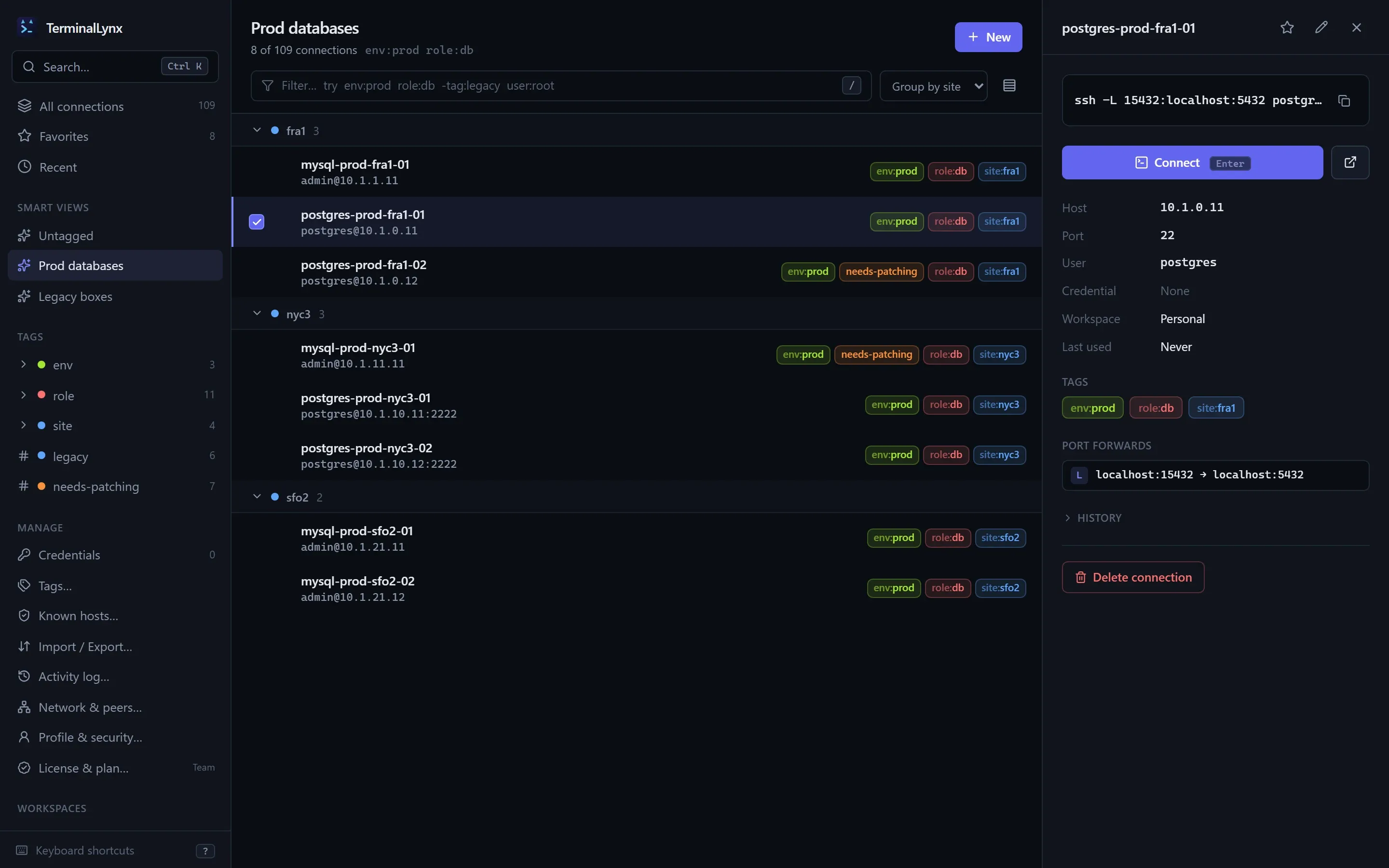
Organize with tags, not folders
A connection can have plain tags (legacy) and key:value tags (env:prod, role:db, site:fra1). Each tag has a color, and values inherit their key's color.
Group by any tag key and the list turns into sections: group byenv and you get prod, staging and dev, without maintaining a folder tree. A server can sit in several groups at once, which folders never allowed.
Smart Views are saved searches pinned to the sidebar, like "Prod databases" or "Untagged". Favorites and recents are yours alone: they never sync to your team.
Select many connections to tag them in bulk. Rename or merge a tag once and it changes everywhere.
Search and filter syntax
The command palette and the list's filter bar share one syntax. Combine terms freely; results are ranked by how well they match, with a boost for connections you use often and recently.
| Query | Finds |
|---|---|
| db prim | Fuzzy match on name, host, user, tags and notes |
| env:prod | Has the tag env:prod |
| tag:legacy | Has the plain tag legacy |
| -tag:legacy -env:dev | Leave out connections with these tags |
| user:root | Username |
| host:10.0.* | Host, with * as a wildcard |
| port:2222 | Port |
| is:fav is:untagged | Favorites, or connections with no tags |
| ws:devops | Workspace (your Personal one or a team) |
Keyboard shortcuts
Everything has a key. In a terminal, plain Ctrl shortcuts go to the shell, so the app's own use Shift. Press? in the app for the full list.
| Ctrl/Cmd+K | Command palette: connections and app actions |
| Ctrl/Cmd+N | New connection |
| / | Focus the filter bar |
| ↑ ↓ or j k | Move the selection |
| Enter | Connect in a new terminal tab |
| Shift+Enter | Open in your system terminal |
| E / T / F | Edit, tag or favorite the selection |
| Del | Delete, with undo |
| Ctrl+Shift+K | Command palette |
| Ctrl+Shift+F | Find in the terminal |
| Ctrl+Shift+C / V | Copy and paste |
| Ctrl+Shift+E | Files and ports panel |
| Ctrl+Shift+W | Close the tab |
| Ctrl+Tab | Next tab |
A terminal built in
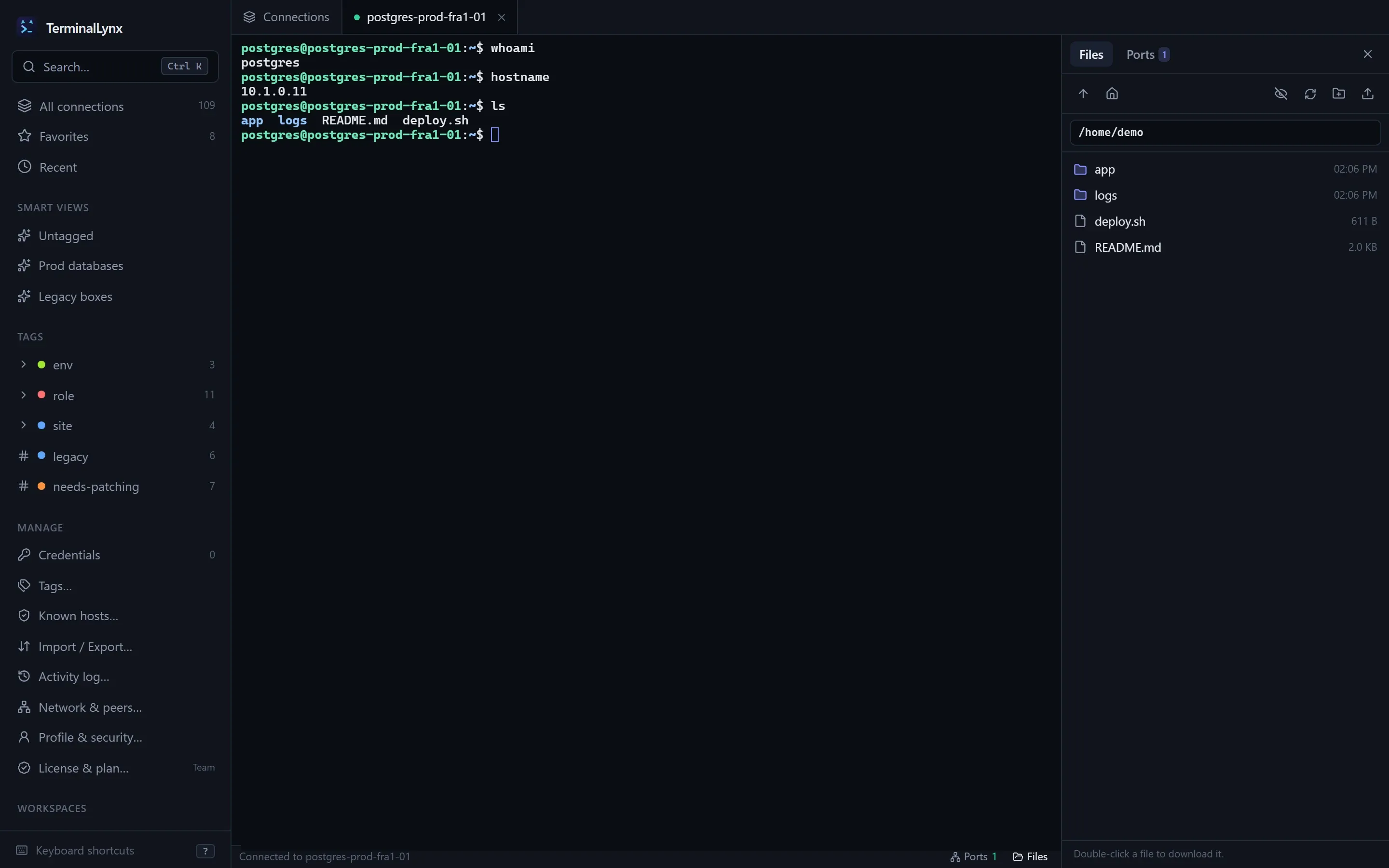
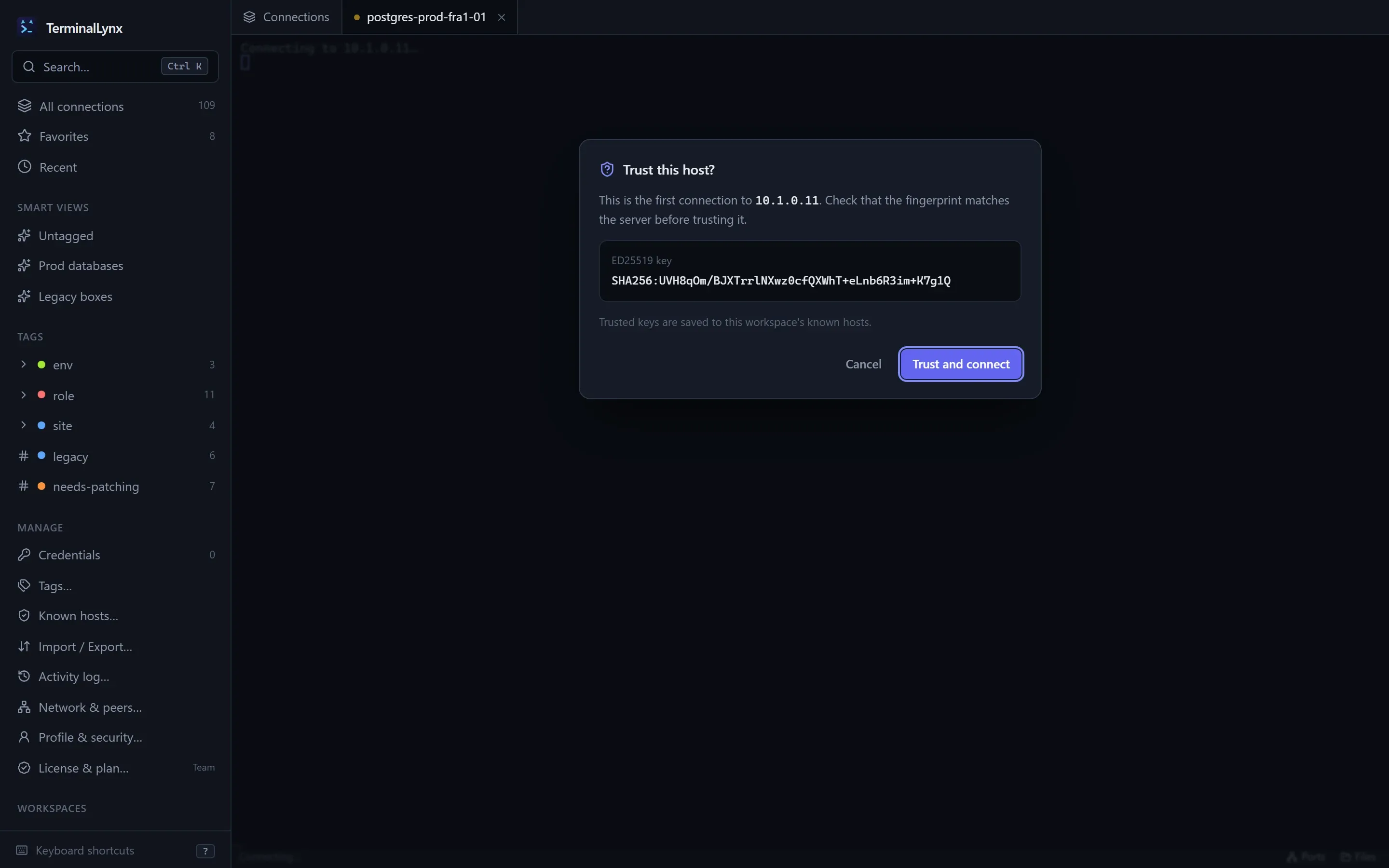
TerminalLynx has its own SSH client, so a connection opens in a tab right where you found it. It handles passwords, keys with passphrases, the SSH agent and keyboard-interactive 2FA, and asks you whenever it needs a decision. Nothing is guessed or saved silently.
- Jump hosts: chain as many as you need, with every hop's host key checked.
- Host keys: trust on first use, clear warnings when a key changes, and host certificate authorities. In a team, trust is shared, so it's established once, not once per person.
- SFTP: browse, upload and download on the same login, with progress and cancel.
- Port forwarding: local, remote and SOCKS, saved with the connection or added to a running session.
- Your terminal, if you prefer: open any connection in Windows Terminal, iTerm, Terminal.app or your Linux terminal.
Bring your connections, take them with you
~/.ssh/config
Hosts, users, ports, keys, jump hosts and forwards, with a preview first.
MobaXterm
Import a .mxtsessions export. Its folders become tags.
Export anytime
To ssh config or JSON. Your connections are never locked in.
Sync between your devices, with no cloud
To add a device, show a one-time pairing code on one and type it on the other. The new device gets your identity and your connections, and from then on they keep each other up to date: when they start, every minute, and moments after you change something.
Devices talk to each other directly over QUIC, authenticated by their keys and encrypted end to end. They find each other on your LAN automatically, or you can add an address: a mesh VPN like Tailscale works well.
Edits merge field by field. Change a server's port on your laptop and its name on your desktop while offline, and both changes survive. Every device ends up with the same result, whatever order changes arrive in.
Networking is off until you turn it on, and relays are off unless you choose one: a public relay or one you run yourself.
Teams
Roles
Admins manage members, Editors change connections, Readers connect. Every device checks every change.
Invites
Single-use links that expire in an hour, a day or a week.
Revocation
Removing a member rotates the team key at once, and lists the credentials they could have seen, so you can rotate those too.
Shared known hosts
A host key trusted once is trusted for the whole team.
How your data is protected
- One identity per person. An Ed25519 and X25519 key pair, kept in your OS keychain or sealed with an optional master password (Argon2id).
- Credentials are encrypted with a workspace key, which is itself encrypted for each member. A sealed secret can't be moved to another record or workspace.
- A signed log. Every change is signed by its author and checked by every device that receives it, against the author's role at that moment.
- Nothing phones home. No telemetry, no account, and licenses are checked offline. Update checks, when they arrive, will be opt-in.